The link that stops customers from calling to ask about their car
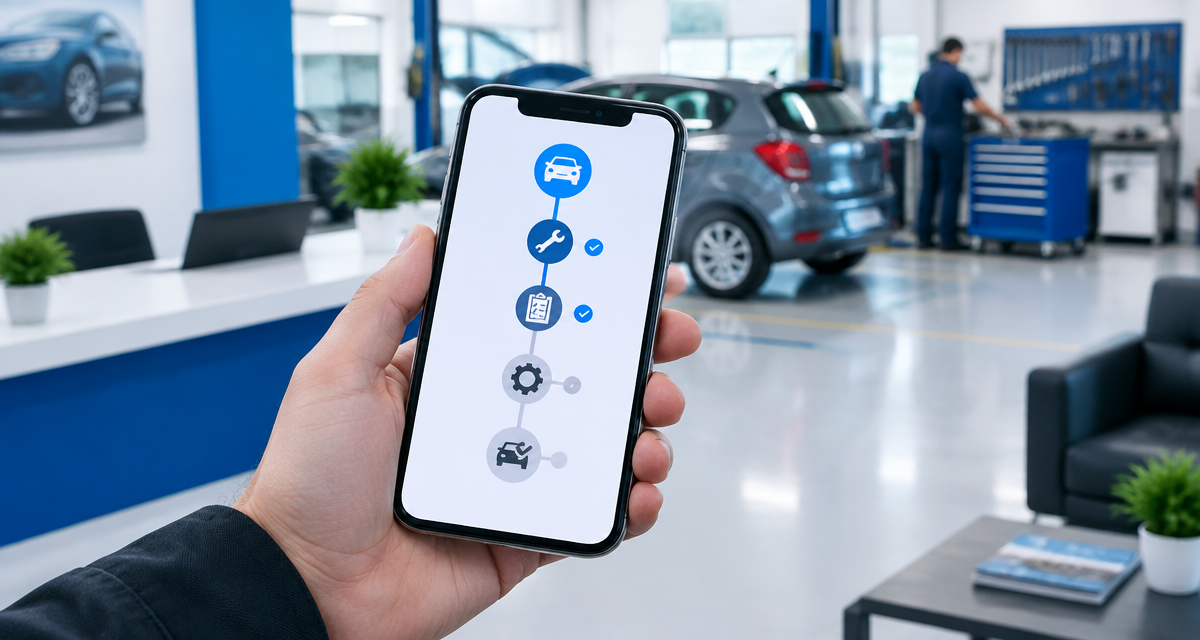
Every customer gets a private link showing the real status of their repair, just like parcel tracking. Fewer calls, fewer interruptions, more time to repair.
If you run a workshop, this scene probably sounds familiar: it's eleven in the morning, your hands are covered in grease inside an engine bay, and the phone rings. It's a customer asking if their car is ready yet. You hang up, get back to work, and twenty minutes later it rings again. A different customer, the same question.
Every call like this breaks your concentration and interrupts the job at hand. By the end of the day, those interruptions add up to minutes —sometimes hours— you could have spent actually repairing vehicles instead of repeating "it's still being diagnosed" fifteen times.
TallerIA solves this with a simple feature that changes the day-to-day rhythm of a workshop: a unique tracking link for each customer, so they can check the real status of their repair without calling, texting on WhatsApp, or dropping by to ask.
How live repair tracking works
It's designed so the workshop owner doesn't have to do anything extra beyond what they already do today.
- You create the work order as usual. Nothing changes in your normal TallerIA workflow.
- The system automatically generates a unique, private link for that order and emails it to the customer the moment the vehicle is received.
- The customer opens the link whenever they want, no password or account needed, and sees a clear timeline of their vehicle's status: received, diagnosis, pending approval, in repair, waiting for parts, ready for pickup, or delivered.
- Every time you update the work order's status from your TallerIA dashboard —exactly as you already do— the customer's page updates itself. No extra step to remember.
On top of that, the customer automatically gets an email update at three key moments: when the vehicle arrives at the workshop, when repair work begins, and when it's ready to collect. They stay informed without having to keep checking the link themselves.
It's the same concept you already know from a parcel delivery service: you don't call the courier to ask where your package is, you just open the tracking link. TallerIA applies that same familiar logic —one any customer already understands— to the world of car repair.
Why this actually cuts down calls (not just in theory)
Most calls a workshop owner gets during the day aren't emergencies or complex questions: they're the same question repeated, "how's my car coming along?". When customers have a link where they can check it themselves, whenever suits them, the need to call almost disappears.
- Fewer interruptions while you're working on a vehicle, which reduces mistakes and improves focus.
- Less time spent "on the phone" and more time coordinating the shop floor or doing actual mechanical work.
- Calmer customers, because they don't depend on someone calling them back — the information is always there.
- A more professional image for the workshop, on par with logistics companies or big brands that have already trained their customers to expect this kind of tracking.
If you also want customer communication to start well from the very first contact, take a look at how to write a quote customers approve first time and how to build a clear work order.
What the customer sees (and what they never see)
Privacy was a key design concern for this feature. The customer only sees:
- The timeline of their repair's status.
- Their vehicle's plate number, make, and model.
- The estimated delivery date, if you've set one.
- Photos you've uploaded to the order, if you choose to share them.
- The workshop's contact details.
The customer never sees prices, internal mechanic notes, suppliers, or any data belonging to other customers or orders. The link is unique to each work order and automatically stops working 7 days after the vehicle is delivered, for security.
Available to every workshop, at no extra cost
This feature comes included in every TallerIA plan, starting from the most basic tier. It's not a paid add-on or a feature reserved for higher plans: we believe cutting down on status-check calls should be available to any workshop, regardless of size. You can see it on the plans and pricing page or, if you're coming from another program, in the comparisons with other workshop software.
Frequently asked questions
Do I need to do anything special to turn it on?
No. The feature is enabled by default as soon as you create a work order with a customer email on file. If the customer has no email in their record, the link simply isn't sent, but you can still copy it manually from the order itself to share it another way.
Does the customer need to download an app?
No, it's a regular web page that opens from any browser on mobile or desktop, with nothing to install.
Can I see which customers checked the link?
That's not part of the current feature, but it's something we're considering for a future update depending on demand.
What happens if the customer loses the link?
You can copy or resend it at any time from the work order, as long as it's still within the 7-day validity window after delivery.
Keep reading
Still reading? If you'd also like your workshop to hand out automatic quotes through your own website, with an AI assistant available around the clock, don't miss our article about TallerIA's public mini website.
Frequently asked questions
Do I need to do anything special to turn it on?
No. The feature is enabled by default as soon as you create a work order with a customer email on file. If the customer has no email in their record, the link simply isn't sent, but you can still copy it manually from the order itself to share it another way.
Does the customer need to download an app?
No, it's a regular web page that opens from any browser on mobile or desktop, with nothing to install.
Can I see which customers checked the link?
That's not part of the current feature, but it's something we're considering for a future update depending on demand.
What happens if the customer loses the link?
You can copy or resend it at any time from the work order, as long as it's still within the 7-day validity window after delivery.